Accessing SPIN
There are two ways to enter into the SPIN application:
- Authenticated SPIN Access
- Anonymous SPIN Access
Authenticated SPIN Access
You can log into SPIN using your BU Single Sign-On (SSO) credentials. On the right side of the screen, under "Sign in using institutional credentials," select Binghamton University from the drop-down menu and enter your SSO user name and password.
Logging into SPIN allows users to save settings, preferences and search data including search filters. Users can save searches to run again in the future and create bookmarks to store grant opportunities.
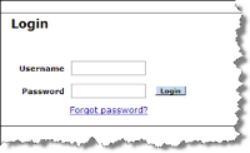
You can access SPIN as a guest, without a user name and password (Single Sign-On.) Anonymous users do not have the ability to save their settings, preferences or search data.
Searching in SPIN
A Text Search is the most commonly used search in SPIN.

Search terms are matched against all data fields in the system.
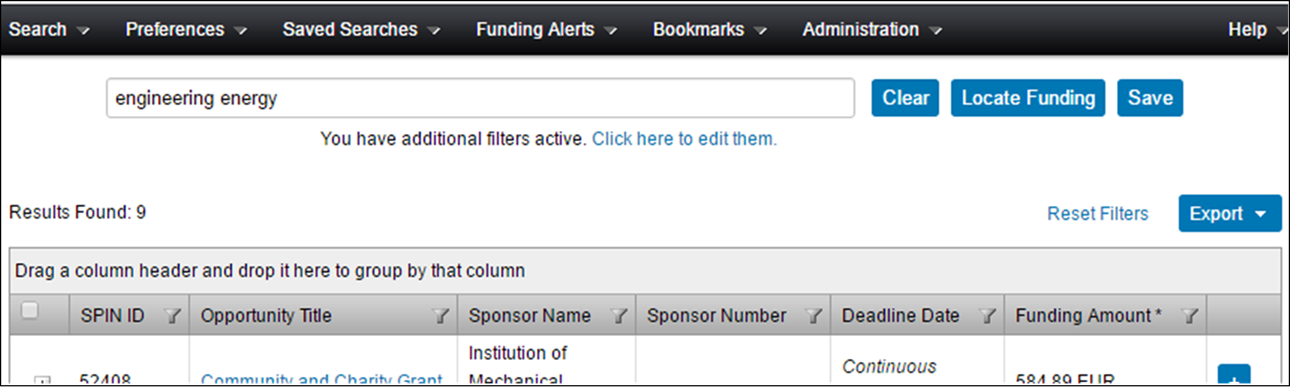
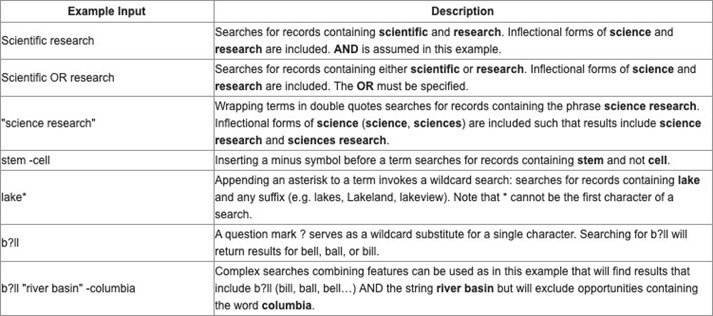
The Text Search also has capabilities to build more complex searches. More information is available from the Help > Text
Search Help menu item.
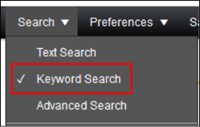
Click “Select Keywords” to select keywords to include in your search.
Use the keyword “Explorer” to browse Keyword categories and choose keywords.
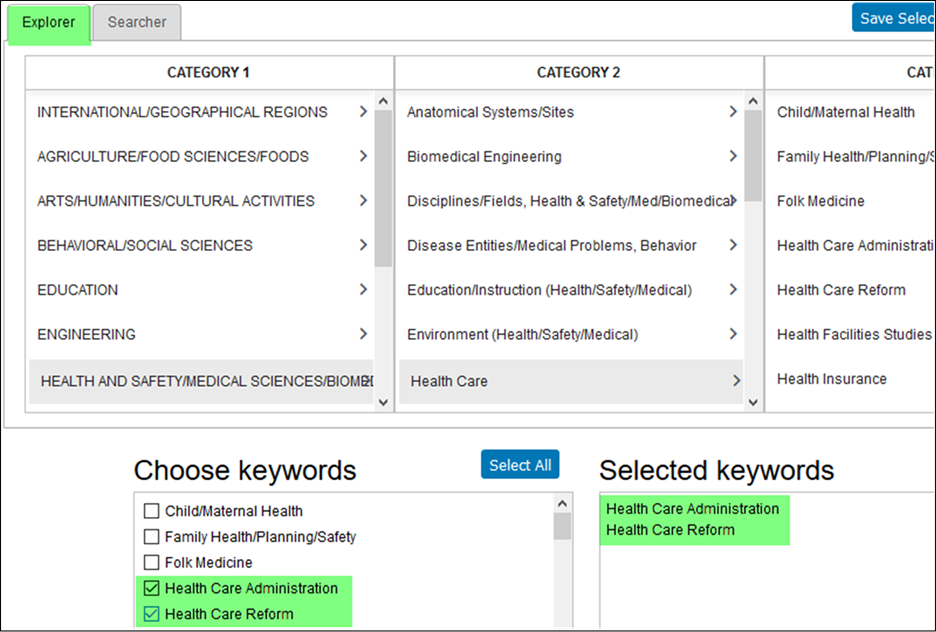
Use the Keyword “Searcher” lookup box to type into and locate particular entries.
Click “Show subset” and select the
desired Keywords.
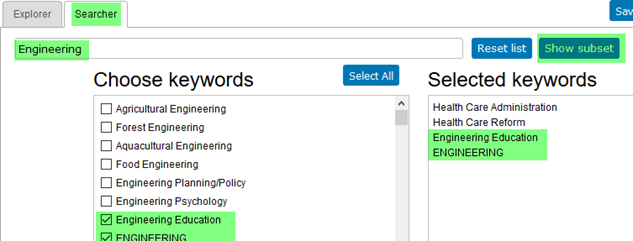
A keyword search matches keywords with those keywords attributed to a SPIN program.
Also, always ensure your Category Filters and Search Options have been configured
appropriately.

For more regular users of SPIN the Advanced Search offers capability to use Boolean
logic and nested searches using
specific SPIN data fields.
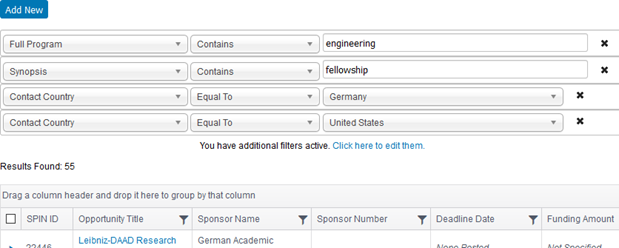
For example, the search below can be described as:
Show me all opportunities where
- the word ‘engineering’ is contained is any data field in the entire program
- the word ‘fellowship’ is contained in the Synopsis field
- the sponsor contact country is either Germany or U.S.A.
As always, please ensure your Category Filters and Search Options have been configured
appropriately.