Introduction to LabCliq by SafetyStratus
LabCliq by SafetyStratus is a modular health and safety platform that helps to create safety plans for supervisors and spaces, recommend safe practices, deploy training modules, and manage chemical inventories. The platform is integrated to single sign-on (SSO) so BU Credentials will be requested when logging in.
Beginning in 2026, our old excel template for chemical inventories will be replaced with this centralized platform.
-
Step 1: Adding Personnel
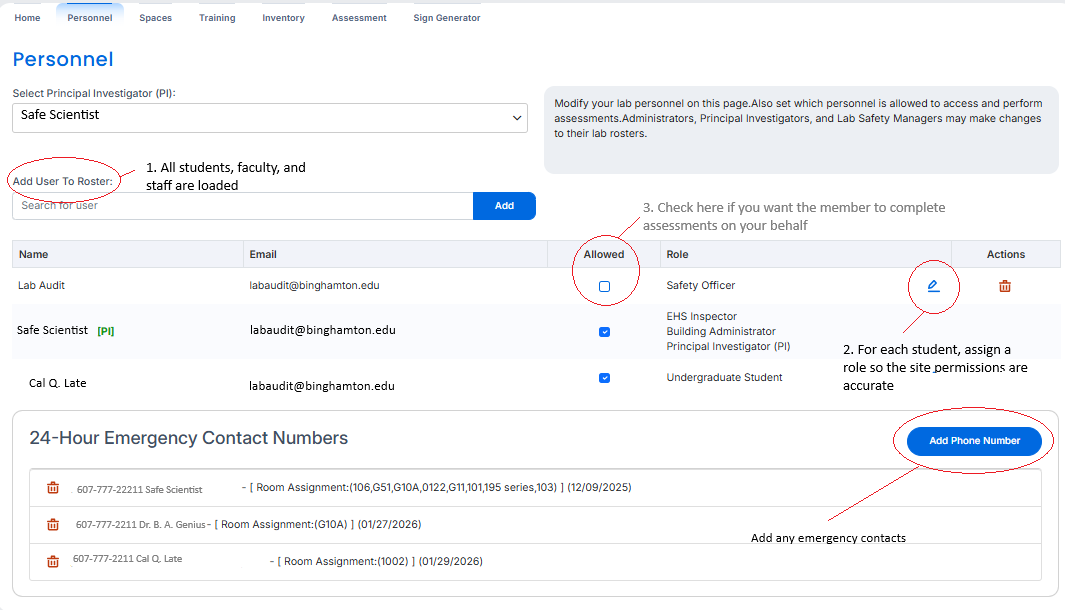
Add and remove all affiliated members to your lab as needed. Configure their role, and decide if you want them to perform Assessments on your behalf be checking the box.
Roster Roles
Role Inventory Permissions Can complete Assessment? Post Doc Full No Research Assistant Full No Safety Officer Full Yes Graduate Student Full No Undergraduate Student Limited No -
Step 2: Complete a Lab Assessment (8/3/2026 Rollout)
Accurate lab assessments ensure everyone associated with the lab is aware of the hazards present in the lab and that proper trainings are recommended.
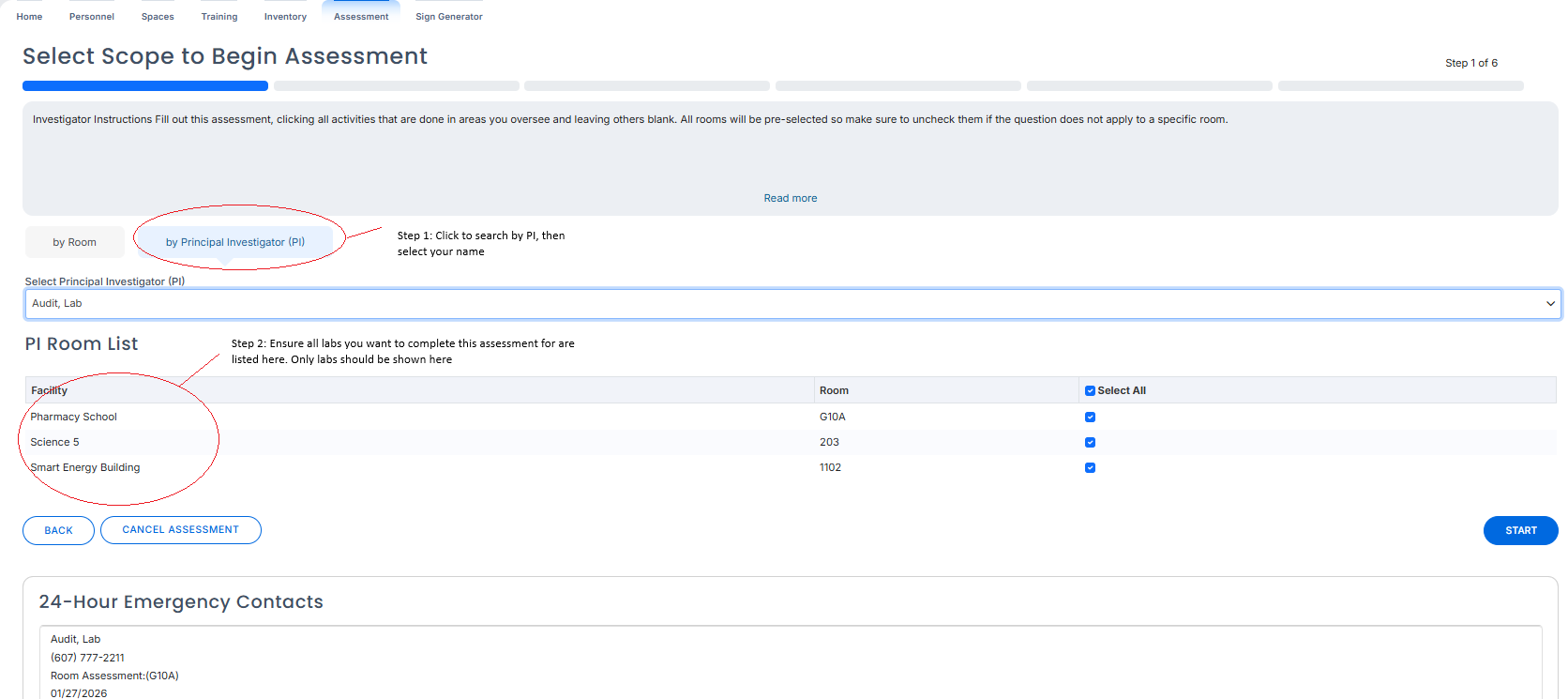
Start the assessment by navigating to "assessments" and selecting your name. If there are spaces you are responsible for but are not present here please contact us.
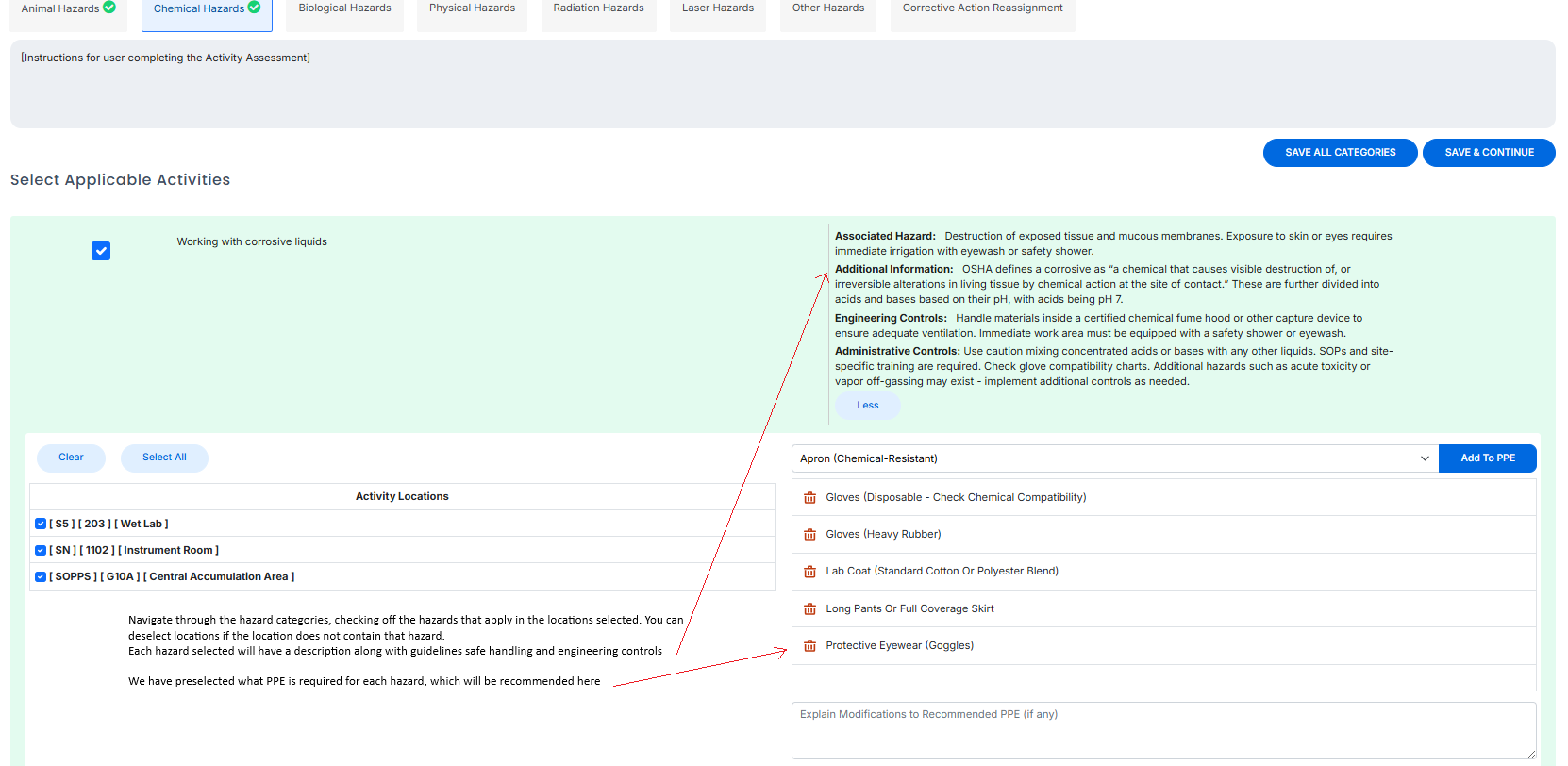
Work your way through the categories, selecting any hazards that apply to spaces you manage. These response are you specific labs safety plan, so be accurate.
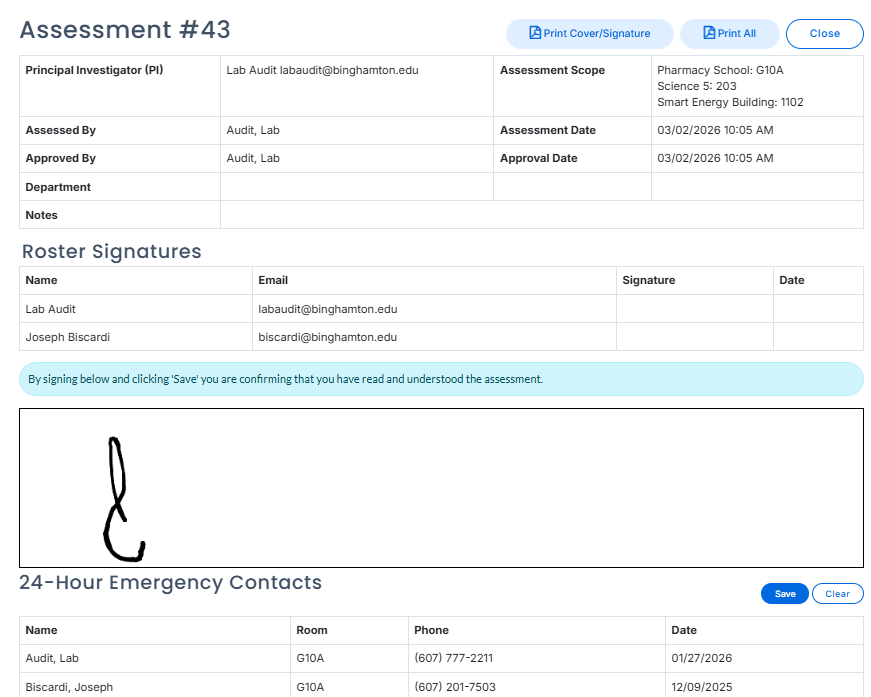
Once complete, a single page "Lab Safety plan" will be shown with a breakdown of all hazards, specific PPE, and training recommendations. Your signature will be requested, along with all associated members.
-
Step 3: Chemical Inventory
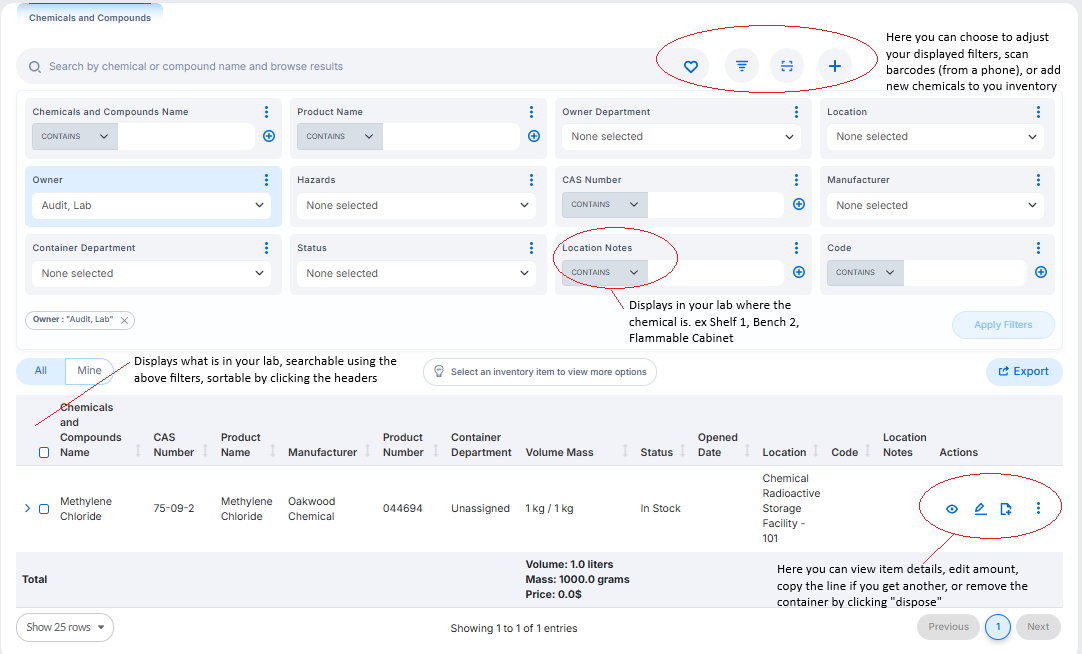
Access via "Inventory" on the left hand navigation bar.
- Site search filters will display as shown, but you can select your own and set your own default.
- You can make bulk edits by selecting multiple lines and a new toolbar will appear at the bottom.
-
Adding Chemicals Not In Catalog
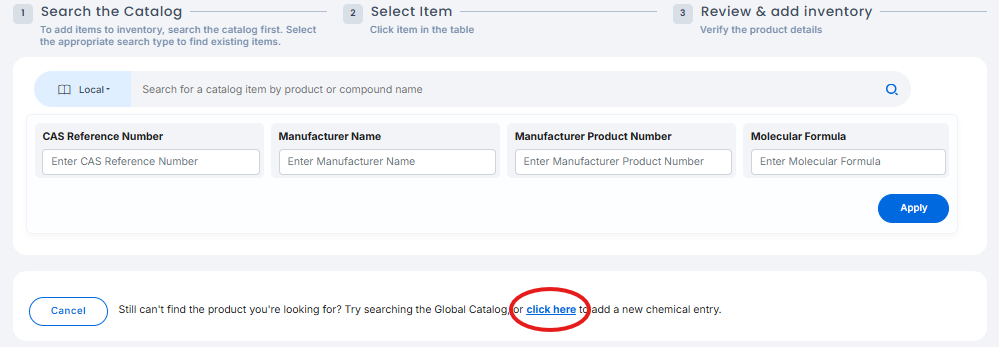
If a chemical is not in the catalog, or only exists in the catalog from a different vendor or different name, you can add new entries by clicking "Click Here" at the bottom. From here you will be prompted to enter the Product Name, Amount, Manufacturer, and importantly, chemical and compound name.
After the assessment has been completed, all members on the labs roster will be sent an email to sign the assessment, be sent training modules required by the assessment, and have the ability to view and edit the chemical inventory.